
Download Ventoy – bootable USB, USB boot, ISO, WIM, IMG, VHD, EFI, Linux, Windows, VMware, Xen, boot menu, multi-boot, open source
Overview
Designed for advanced users and system administrators, Ventoy is an open source utility that simplifies the creation and management of bootable USB drives. Its primary purpose is to eliminate the repetitive need to reformat USB storage devices when switching between different operating system images. By supporting a wide range of image formats—including ISO, WIM, IMG, VHD(x), and EFI—Ventoy enables users to copy multiple bootable files directly onto a single USB drive without requiring additional tools or preparation steps.
The app solves a common pain point in system deployment, recovery, and testing: the inefficiency of preparing a new USB drive for each new OS image. With Ventoy, users can store multiple OS images on one drive and access them via a dynamic boot menu at startup. This functionality is especially valuable for IT professionals, developers, and power users who frequently test or install different operating systems such as Windows, Linux, ChromeOS, Unix, VMware, and Xen.
Although the developer did not provide additional technical details about the origin or development history of the project, its open source nature indicates transparency and community-driven improvements. Ventoy is a lightweight yet powerful tool that fits seamlessly into workflows involving system imaging, troubleshooting, and multi-boot environments. Its ability to support multiple firmware modes—x86 Legacy BIOS, IA32 UEFI, x86_64 UEFI, ARM64 UEFI, and MIPS64EL UEFI—further enhances its versatility across diverse hardware platforms.
Key Features & Functionality
- Multi-Image Support: Users can copy various bootable image types—ISO, WIM, IMG, VHD(x), and EFI—directly to the USB drive without formatting. This eliminates the need for repeated preparation of the same drive.
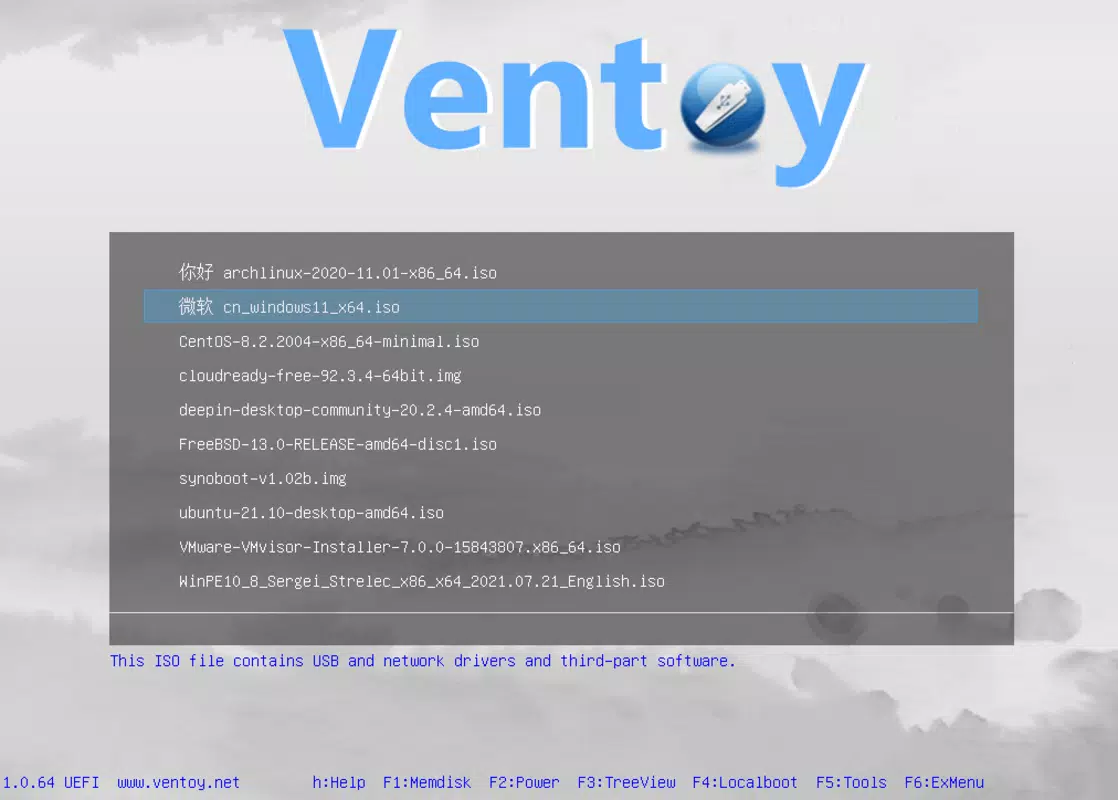
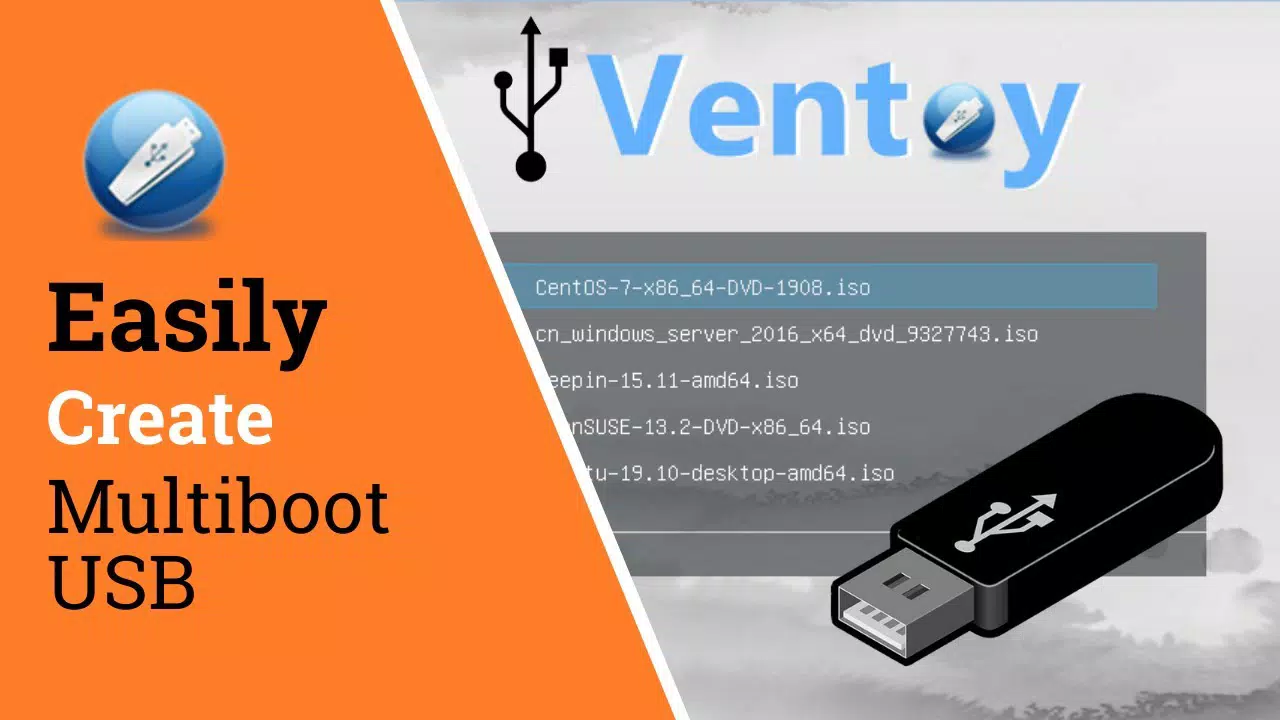
- Automatic Boot Menu: Upon booting from the USB, Ventoy automatically generates a menu listing all available image files, allowing users to select the desired OS or tool to launch.
- Non-Destructive Operation: Once configured, the USB drive retains its original data and functionality, enabling daily use for storage while still serving as a reliable bootable device.
- Universal Firmware Compatibility: Supports x86 Legacy BIOS, IA32 UEFI, x86_64 UEFI, ARM64 UEFI, and MIPS64EL UEFI modes, ensuring broad hardware support across modern and legacy systems.
- Local Disk Browsing: In addition to USB-based images, Ventoy allows direct access and booting from ISO and other image files stored on internal hard drives.
For example, a system administrator can prepare a single USB drive with Windows PE, Ubuntu Live, and a custom recovery image. During troubleshooting, they can boot from the drive, select the appropriate OS from the menu, and begin diagnostics without reformatting. Similarly, a developer testing cross-platform applications can switch between Linux, Windows, and VMware environments quickly and efficiently. The tool’s design emphasizes usability without sacrificing technical depth, making it ideal for professionals who prioritize speed and flexibility in system deployment workflows.
Interface, UX & Performance
Although the developer did not provide detailed information about the visual interface, Ventoy operates primarily through a command-line or minimal graphical setup during the initial configuration phase. Once installed on a USB drive, the tool functions transparently during boot, presenting a clean and functional boot menu without requiring user interaction beyond selection.
Navigating the boot menu is straightforward, with clearly labeled entries for each available image file. The interface prioritizes clarity and efficiency, minimizing user confusion during critical system operations. The design reflects a focus on utility over aesthetics, aligning with its target audience of technical users who value functionality.
Performance is optimized for speed and reliability. Although the developer did not list formal performance metrics, the tool’s lightweight footprint—just 2.5 MB—suggests minimal resource usage. It operates efficiently across different device categories, including older systems and modern machines, without noticeable lag during boot or menu rendering. The stability of the application is supported by its open source model, which allows for continuous community validation and bug fixes.
Responsiveness is maintained during image selection and boot initiation, ensuring that users experience a smooth transition from USB detection to OS launch. The tool is designed to integrate seamlessly with existing workflows, requiring no additional drivers or system modifications.
Platform Compatibility & Technical Requirements
Ventoy is available for multiple operating systems, including Windows, Linux, and macOS. This cross-platform availability ensures that users can prepare bootable USB drives regardless of their primary development or administrative environment.
The software version is 1.0.40, and the file size is 2.5 MB, indicating a compact and efficient tool. The developer did not specify minimum OS requirements, nor did they provide details about hardware compatibility beyond firmware support. This lack of specificity means users should exercise caution when deploying on older or non-standard systems.
Compatibility with different USB flash drives is not explicitly confirmed, but the tool’s ability to work across multiple firmware modes suggests broad hardware support. Users should ensure their system supports UEFI or Legacy BIOS booting, depending on the target environment. The absence of a mobile version or Android/iOS availability confirms that Ventoy is intended exclusively for desktop and laptop platforms.
Pros and Cons
- Open source and free to use
- Supports multiple image formats (ISO, WIM, IMG, VHD(x), EFI)
- Eliminates the need to reformat USB drives
- Generates a dynamic boot menu for easy selection
- Compatible with multiple firmware modes (BIOS, UEFI, ARM64, MIPS64EL)
- Can boot from both USB and internal hard drives
- Lightweight and fast (2.5 MB file size)
- Requires technical knowledge to use effectively
- No official mobile version for Android or iOS
- Minimal visual interface; may be intimidating for beginners
- Developer did not list specific system requirements
- Not designed for casual users or general-purpose tasks
FAQ
Is Ventoy safe to use?
Yes, Ventoy is open source and widely trusted by system administrators and developers. It does not modify system files or install unwanted software. As with any tool that interacts with boot processes, users should ensure they are working with trusted image files.
Can I use Ventoy on any USB drive?
While Ventoy supports most USB flash drives, compatibility may depend on the drive’s firmware and file system. It works best with drives formatted in FAT32 or exFAT. The developer did not specify exact hardware limitations.
Does Ventoy work on macOS?
Yes, Ventoy is available for macOS and can be used to create bootable USB drives on Apple computers. It supports both Intel and Apple Silicon Macs when used with compatible image files.
How do I update Ventoy?
Updates are released through the official project page. Users should download the latest version (1.0.40) from the source to ensure access to new features and security patches.
Can I use Ventoy to install Windows?
Yes, Ventoy supports Windows installation images (ISO, WIM, etc.). Simply copy the Windows ISO to the USB drive, boot from it, and use the Ventoy menu to start the installation process.
Final Thoughts
Ventoy stands out as a powerful, no-frills utility for anyone involved in system deployment, recovery, or OS testing. Its ability to transform a standard USB drive into a multi-boot platform without repeated formatting is a game-changer for IT professionals and developers. The open source model ensures transparency, while the lightweight design and broad firmware support make it adaptable across diverse environments.
While its command-line nature and technical requirements may deter casual users, those familiar with system administration will appreciate its efficiency, reliability, and flexibility. Whether you're troubleshooting a machine, testing Linux distributions, or deploying Windows images, Ventoy streamlines the process with minimal overhead.
For users seeking a secure, free, and highly functional tool to manage bootable media, Ventoy delivers unmatched value. Its support for multiple operating systems and boot modes positions it as a cornerstone in any technical toolkit.
Download Ventoy now


